

онлайн-магазин
запис на послуги
заходи
спливне вікно

Підтверджено у Wix
Ask in Aria
Barcode Man - Label Printing
Від
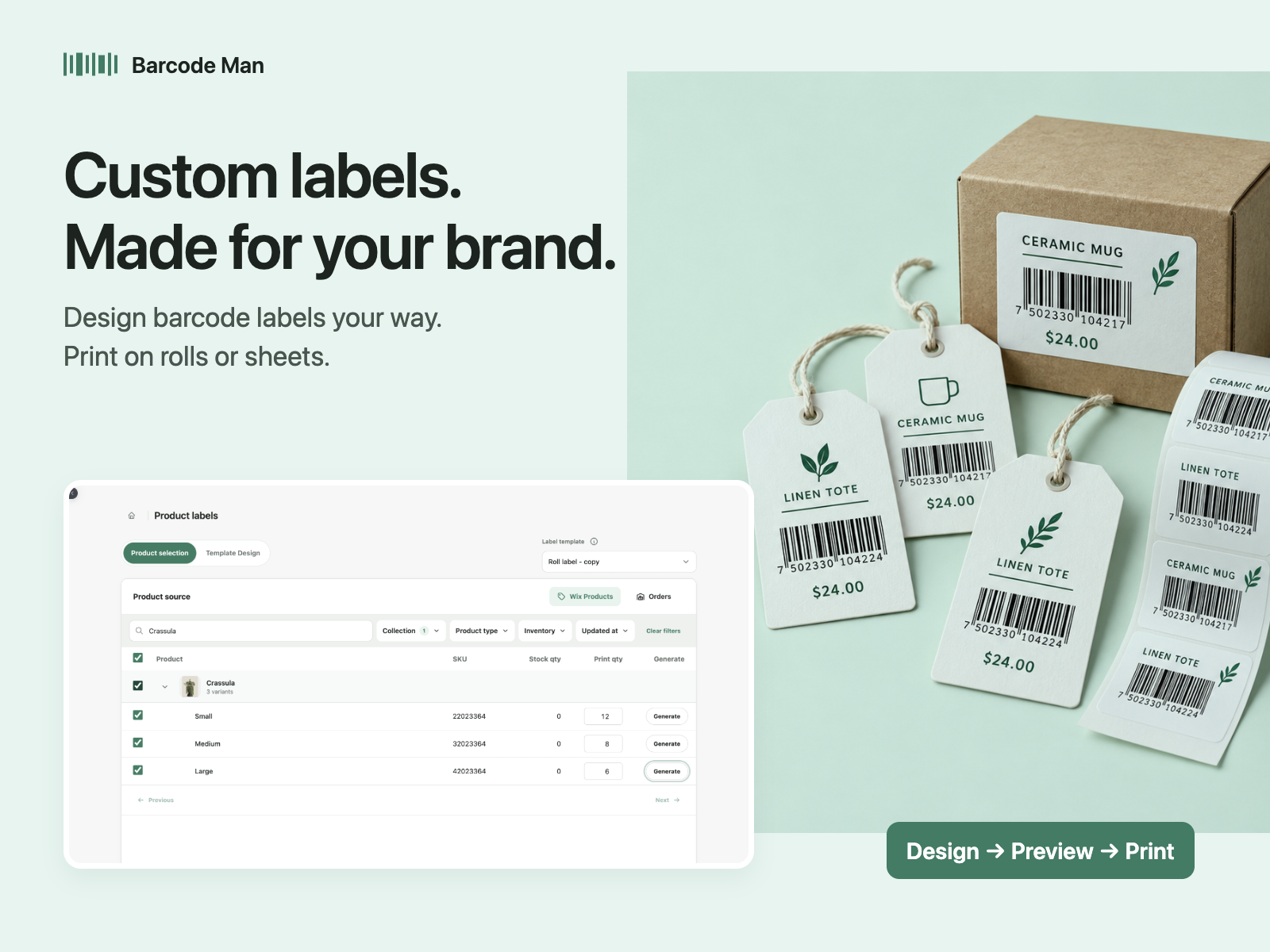
Print barcode labels & price tags for your shop
4.5
Має безкоштовний план

Огляд додатка «Barcode Man - Label Printing»
- Print price tags and price labels with regular and sale prices
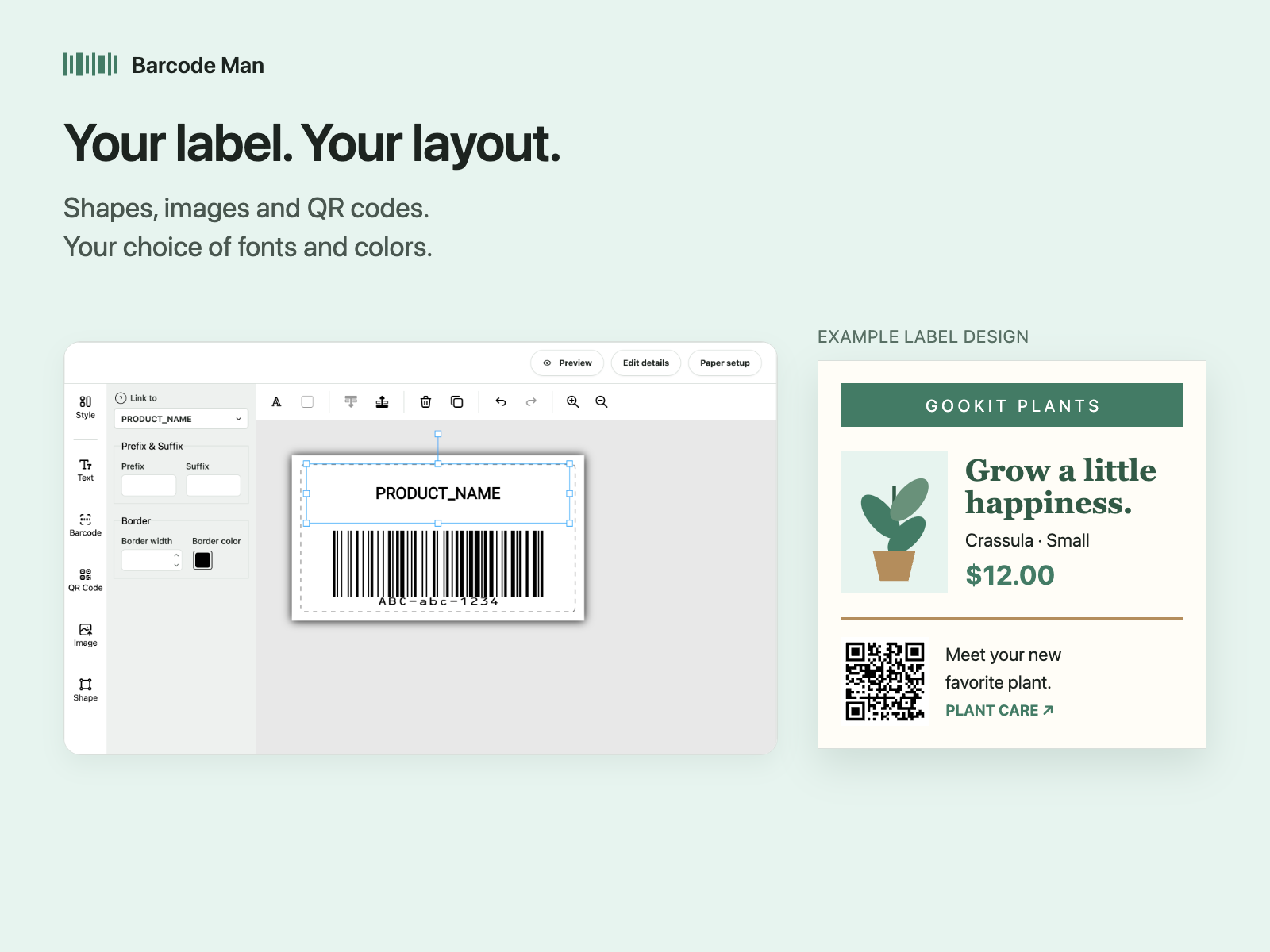
- Add EAN-13, UPC, Code 128 or QR codes in a drag-and-drop editor
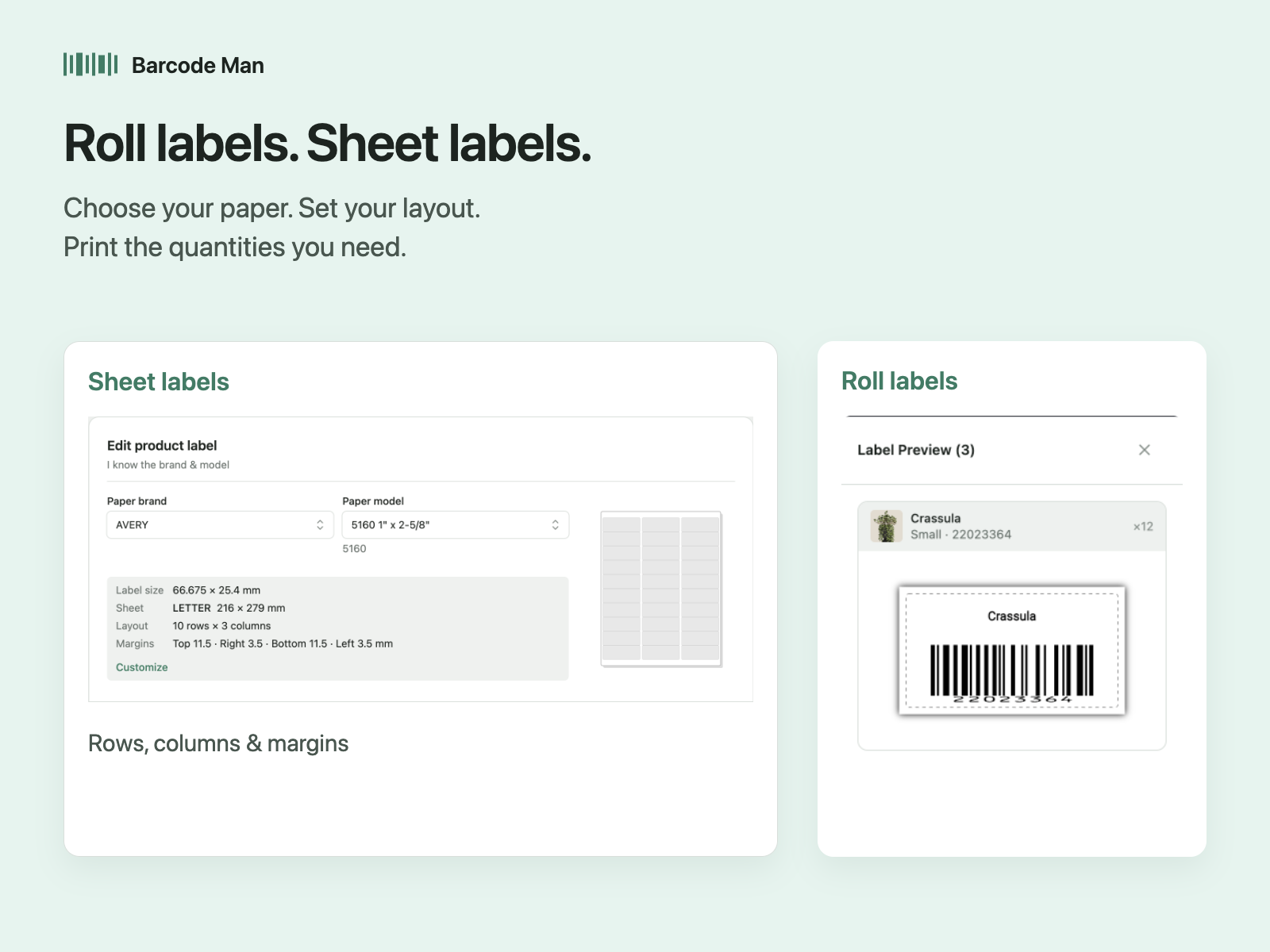
- Print on DYMO, Zebra and Brother printers or Avery sheets
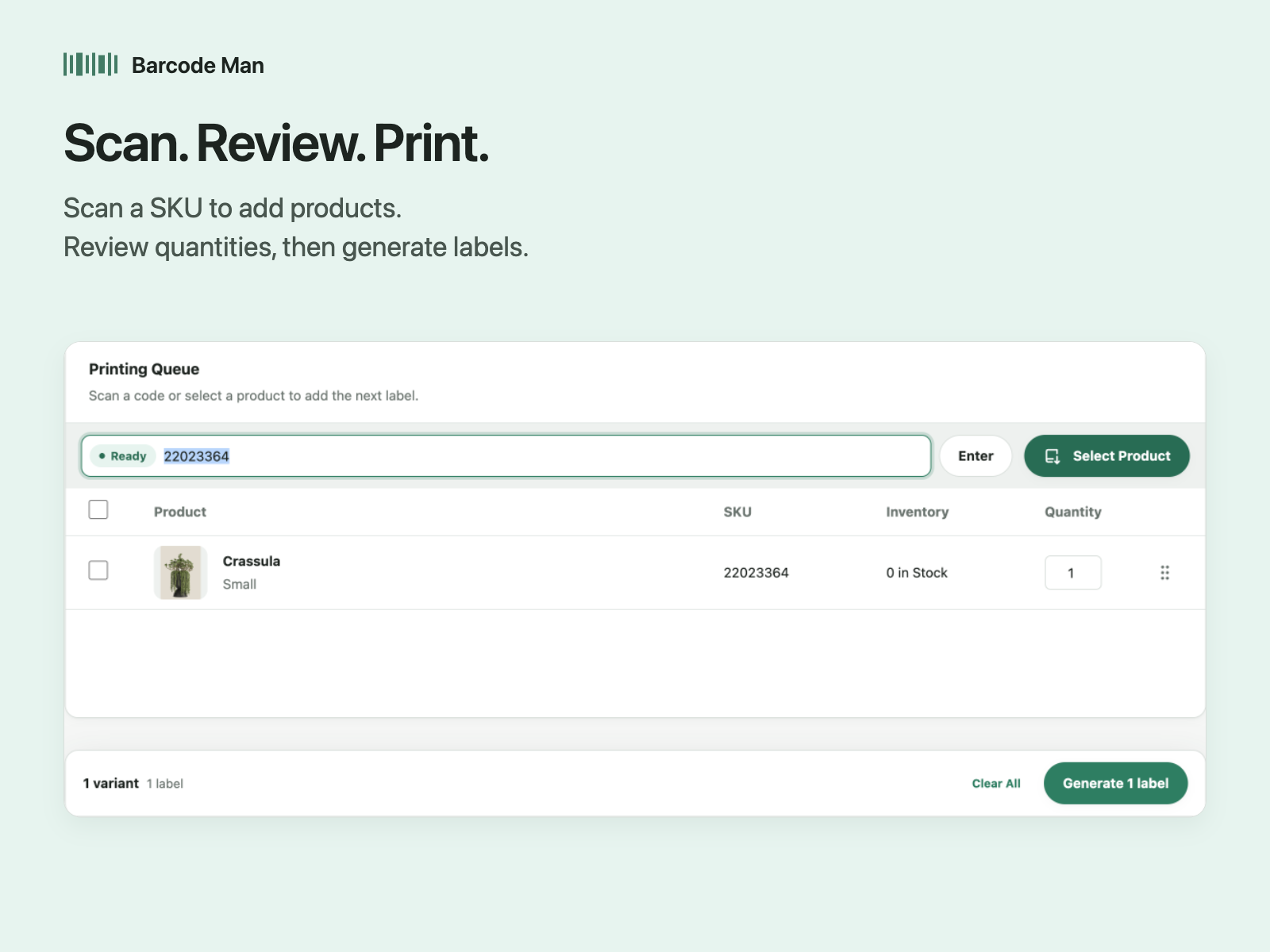
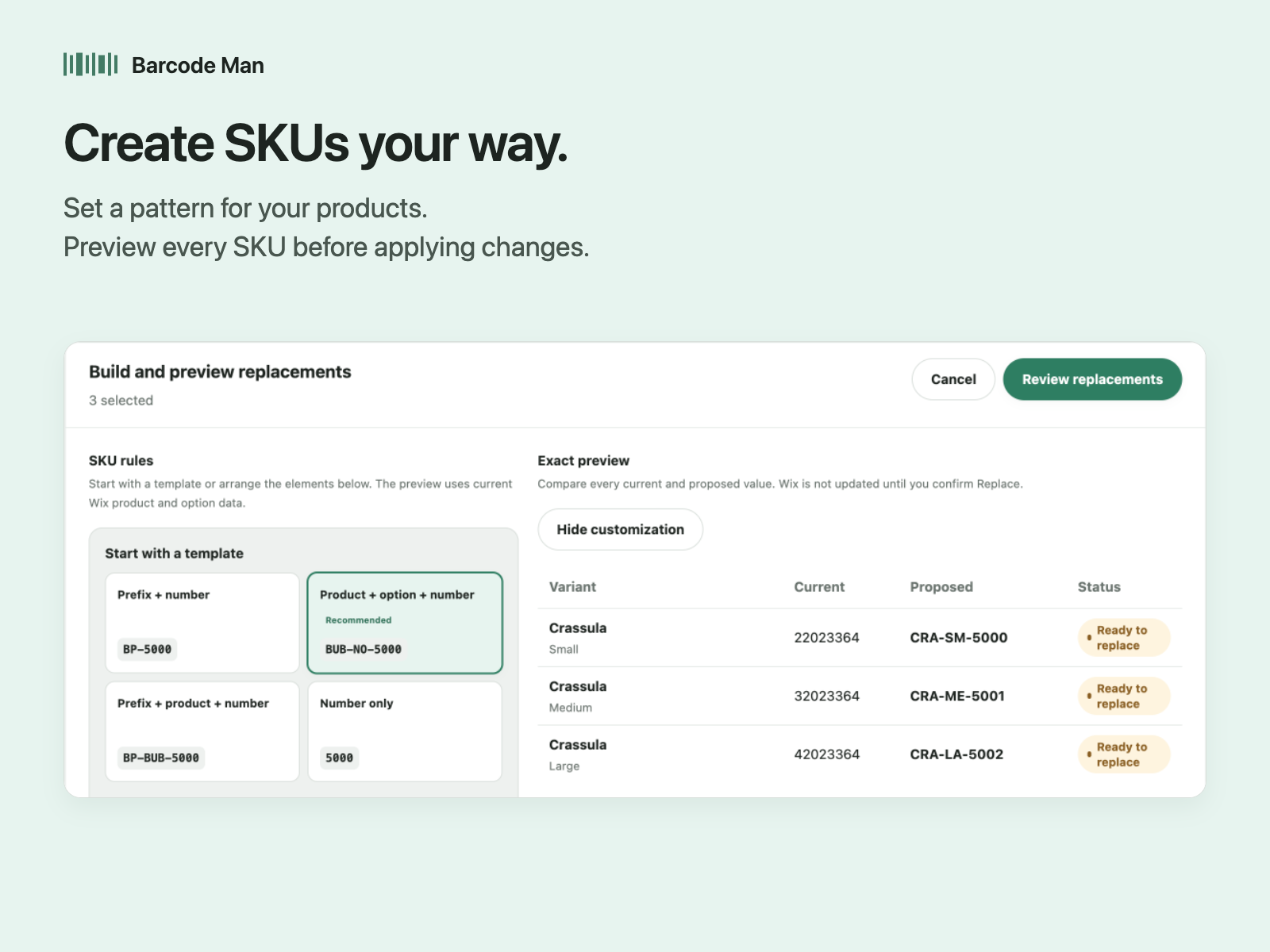
- Generate missing SKUs, scan SKUs to queue labels, print one per item in stock
Середня оцінка: 4.5
Відгуків: 74
5
58
4
5
3
3
2
2
1
6
Сортування:
AD
Admin03666/ Jul 21, 2026
Works pretty well.I had some trouble with this app at one point, but their customer support resolved the issue within a matter of days and was very communicative about it.
It's still not as robust...
(1)
Дякуємо за відгук
MA
Matt54741/ Apr 12, 2026
This app is amazing!I've been using Barcode Man - Label Printing for the past couple of years to print all of the labels for the plants at my plant nursery. Being able to have barcodes automatically...
(0)
Дякуємо за відгук
WO
Wosweb/ Apr 4, 2026
Feeling very uptownOnce I figured out the right barcode format, we were off and scanning, making purchases easier and faster and feeling quite business-savvy!
(0)
Дякуємо за відгук
CH
Chloem276/ Mar 13, 2026
Pricing on labelsThe labels look fine however I cannot get the sales price to print on the label, only the original price
GO
команда Gookit
Thank you so much for your review! To print the sales price on your labels, simply add a text element in your template and link it to DISCOUNT_PRICE. If you need any help...(0)
Дякуємо за відгук
CH
Chrismartin99/ Feb 26, 2026
THIS IS AN AWESOME APP!!Had to burn through some labels to figure out QR codes print fine while bar codes just wouldn't print correctly on my IDPRT printer.
Once I got past that it was simple and...
(0)
Дякуємо за відгук
План Free
Безкоштовно
- Up to 200 labels / month
- Customizable templates
- SKU generator
- Design Editor
- Email support
План Pro
$
6
99
/міс.
- Unlimited labels.
- Customizable templates.
- SKU generator.
- Design Editor.
- Email support.
План Cloud Print
$
14
99
/міс.
One-click label printing
No PDF downloads or print dialogs
Unlimited labels and cloud prints
Everything in Pro included
План API
$
29
00
/міс.
Everything in Cloud Print
Unlimited Open API labels
Design Editor and custom templates
API key management and email support
* Ціна вказана у USD.