

онлайн-магазин
запис на послуги
заходи
спливне вікно

Booking Form Hub
Від
All booking form answers in one table, CSV ready
Поки що немає відгуків
Має безкоштовний план

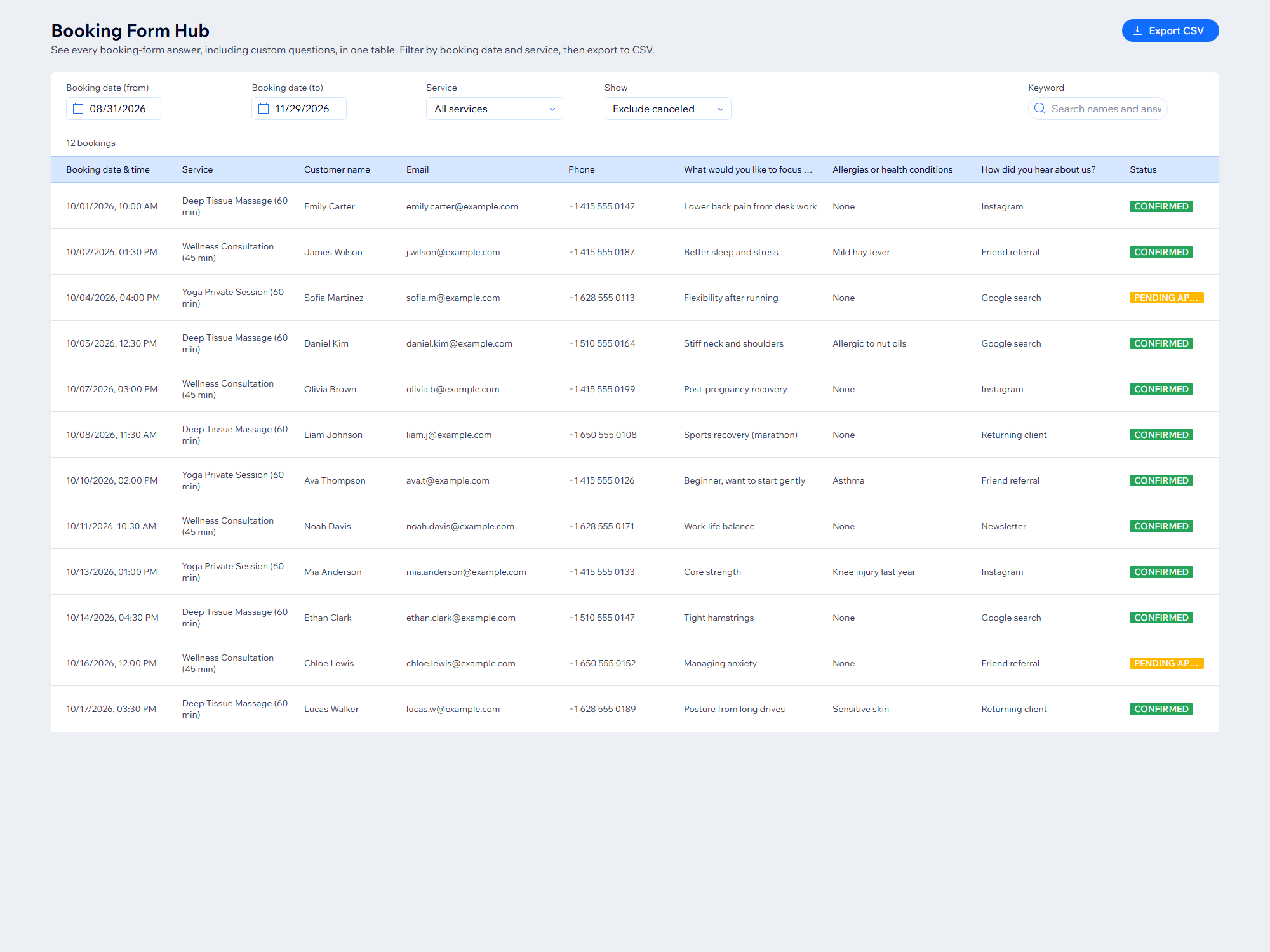
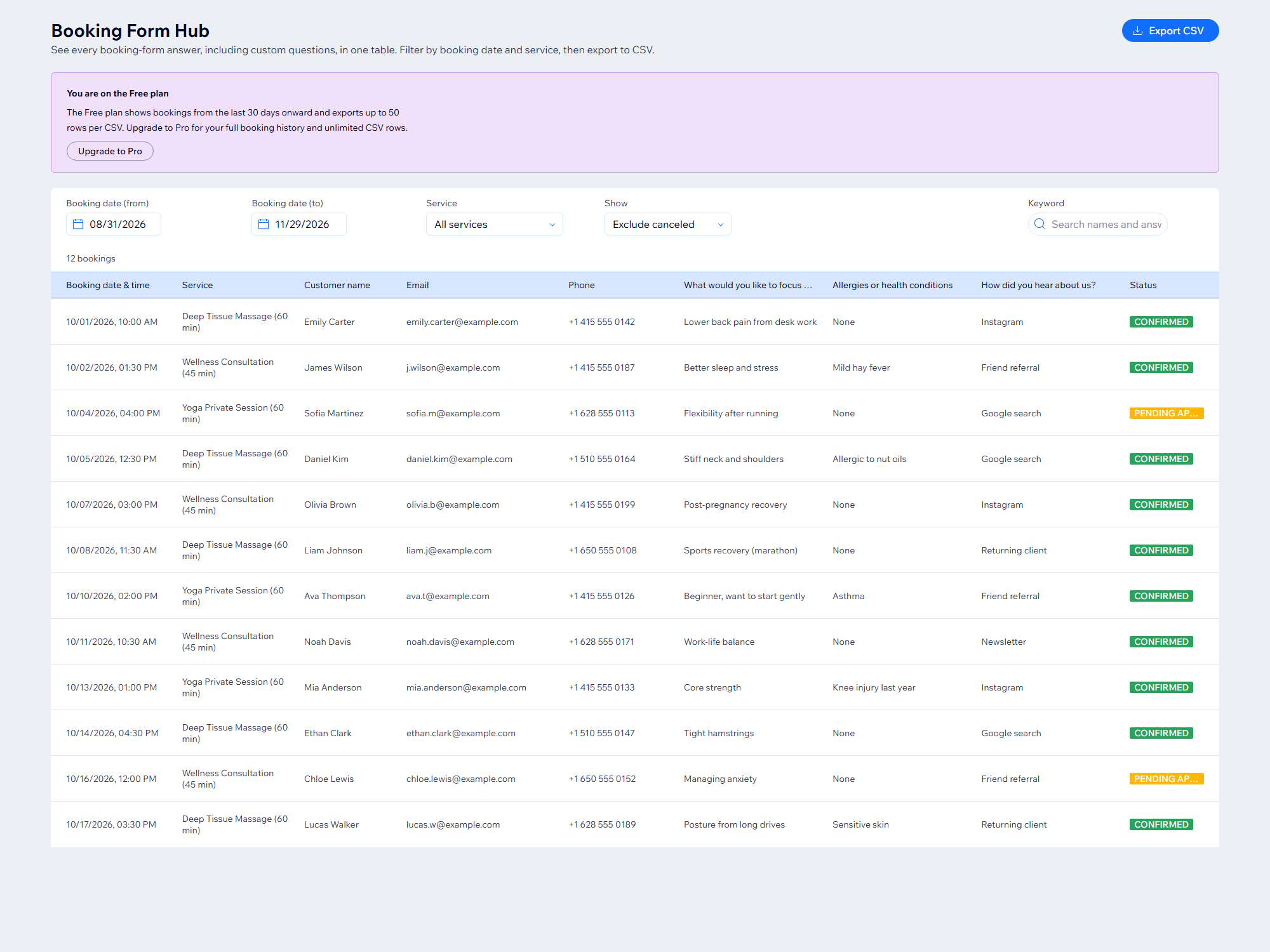
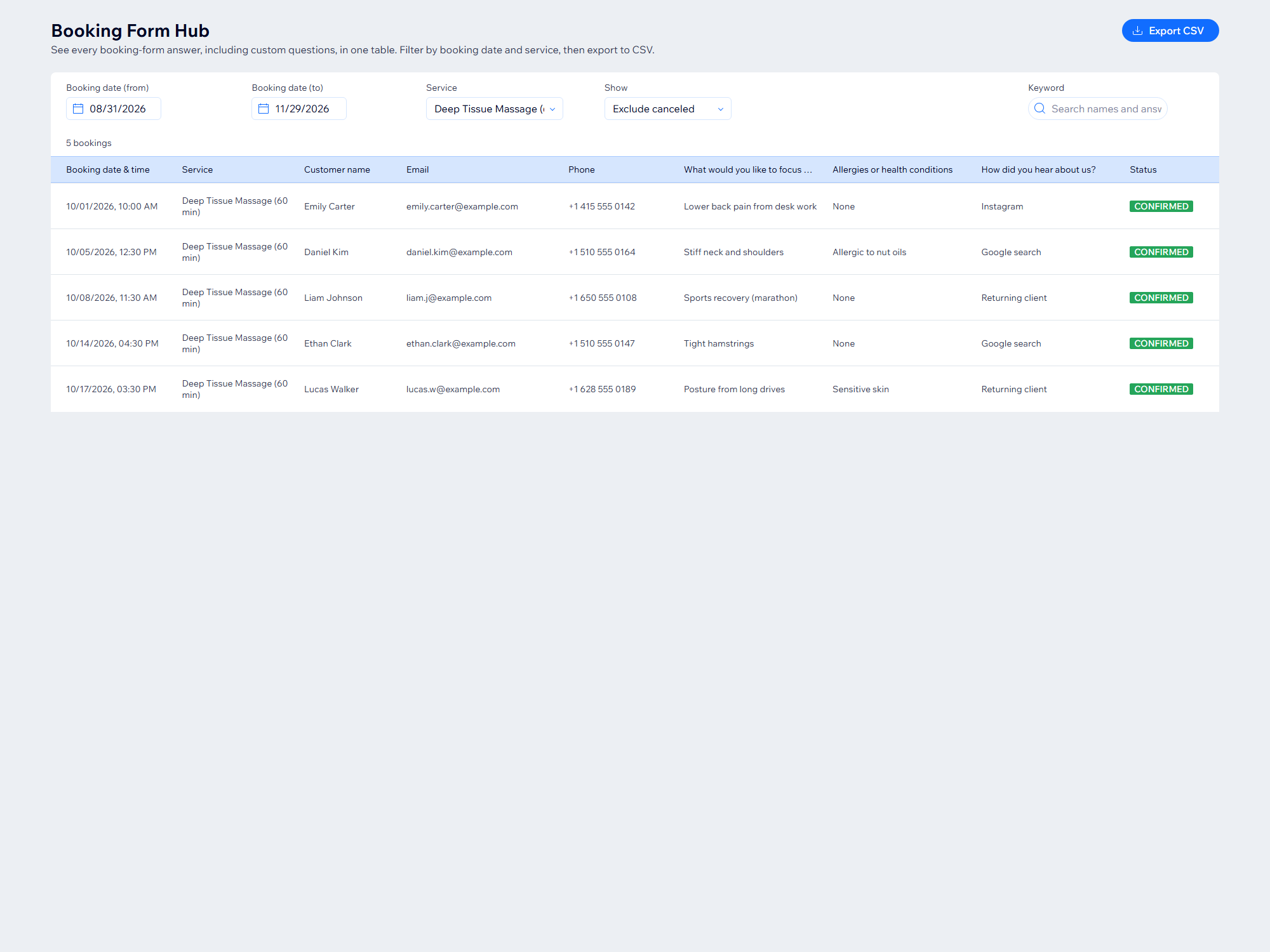
Огляд додатка «Booking Form Hub»
- Every booking-form answer in one table, one column per question
- Filter by booking date, service and status, or search by keyword
- Export to CSV for any spreadsheet app in one click
Оцінки й відгуки
Цей додаток ще не має відгуків. Залиште перший.Ціна й тарифні плани
План Basic
Безкоштовно
Bookings from the last 30 days
CSV export up to 50 rows
Filter and keyword search
План Pro
$
5
58
/міс.
Unlimited booking history
Unlimited CSV export
Filter and search all bookings
* Ціна вказана у USD.